Building your own gaming PC can be a truly rewarding experience. It gives you a chance to customise your system to the max, pulling together components from all your favourite manufacturers. A personal computing Ship of Theseus to upgrade into the future. But it's so easy to get caught up in the excitement of the PC building process that you end up overlooking common—and easily avoidable—mistakes.
It's a fascinating process, figuring out how all your shiny new PC components fit together. It's like a chunky, technologically superior jigsaw puzzle that actually gives something back once all the pieces click into place. The problem is that when there are so many components, and so much to remember, even a veteran PC builder can find themselves messing up in some pretty impressive ways.
That's particularly true if you're maybe feeling overwhelmed at the start of a full build, or just tired to the point that you can't tell a USB from an Ethernet port. It happens to the best of us. But we're here to make your PC building experience a little easier.
That's why we've put together this little warning list, so you can avoid making the same mistakes others have (ourselves included). Mistakes are how we grow as PC builders, sure, but learning from other people's mistakes is how you gain true PC building superiority. And how to not drain your bank account through costly errors.
1. Not calculating the correct wattage for your PSU

You're going to want to make sure you know roughly how much wattage your components will use before you purchase a PSU for your build. That's especially true if you're planning to nab Nvidia's most power hungry beast of a GPU—the —because your machine's not going to be doing any gaming without power. Do plan ahead for any overclocking you're looking to do, as that can really stretch your PSU's power output.
Once you've been through and chosen the bulk of your components, head over to a tool such as or 's power supply calculator and give it a whirl. Don't feel like you have to stick to their recommendations though. As long as you get a PSU with enough wattage, plus a little headroom, you're good to go. Check out our guide if you're not sure which PSU to pick.
2. Throwing away your motherboard manual
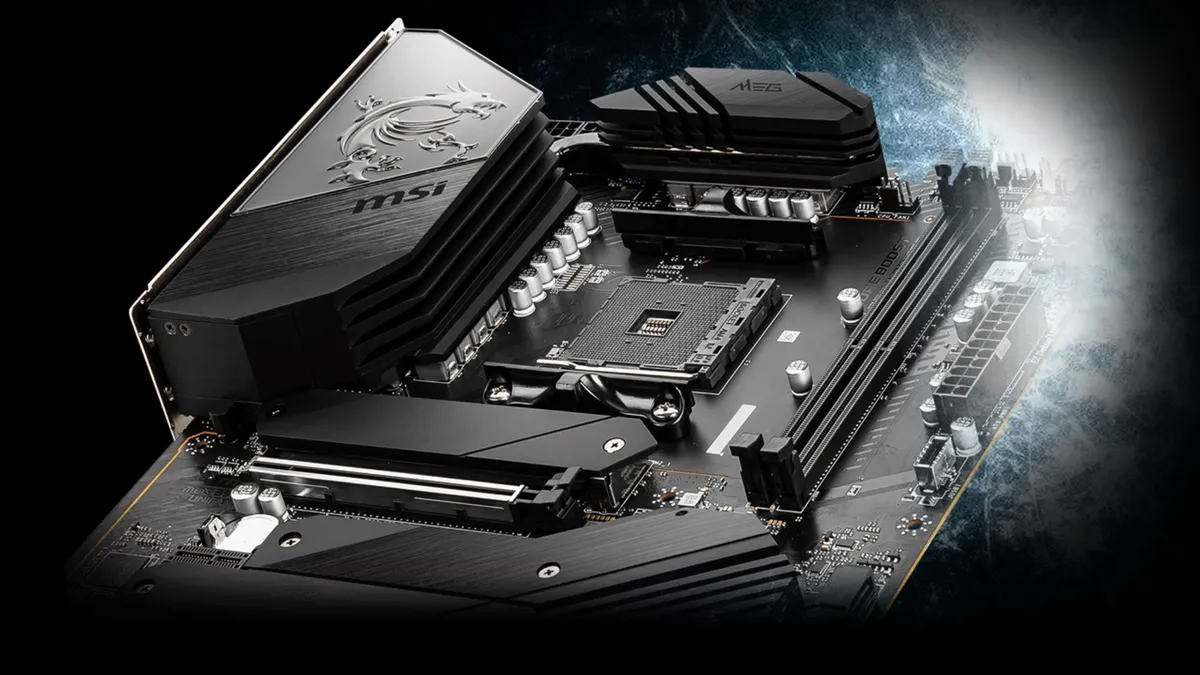
Even people who've been building PCs their whole life will tell you that remembering which of the little motherboard plugs goes where is an absolute nightmare. Not least because it's different for certain motherboards. Having the manual handy is no doubt going to save your ass when you come to meet the notorious System Panel Header. Get this part wrong, and your power switch won't be connected. Sure, there are indicators on the PCB itself to help guide you, but you gotta squint to see them.
The motherboard manual also has useful information on your motherboard's BIOS, as well as diagrams outlining the best place to stick your RAM, and where your primary should go—something motherboard manufacturers can't seem to keep consistent with.
If you've been silly and stuck the manual in the trash, don't panic. You should still be able to search online to find your motherboard manufacturers instructions archived somewhere.
3. Pairing the wrong components

No one wants to get their components home only to discover they are incompatible. Pairing the right motherboard with the right CPU is a good place to start. We go into a little more detail about that in our guide, but we can also advise the use of a tool like for quick component pairing.
Sometimes you might get the pairing right, between CPU and motherboard, only to find you need an updated BIOS to actually get the board to see the chip. Luckily many mobos have the option to update your BIOS without a chip plumbed in today.
Just make sure you double check on the compatibility side, and get the full picture on your parts before you purchase. Otherwise you could end up not making the most of your PCIe 5.0 compatible motherboard with speedy storage… or overspending on storage that won't run at full speed on older motherboards.
This applies outside of the PC, too. Some older GPUs like that of Nvidia's GeForce 20-series will mean it's totally not worth splashing out on one of the . Whereas using a 1080p monitor with your recently acquired is not going to do this majestic GPU justice at all.
4. Not enabling XMP/EXPO

If you want your memory to run at its intended clock speed, it's worth popping into the BIOS on your first boot to or the AMD equivalent, EXPO. With that comes higher frequencies and tighter timings, as well as an automatic tweak to the voltage. In other words, it provides a stable overclock with the click of a button.
Well, it should do. There have been some issues around AMD's latest processors getting burned by overenthusiastic EXPO voltages, so it's worth making sure your motherboard BIOS is as up to date as possible before enabling these features.
XMP has caught me out a couple of times. Once I've set up a new PC I'm always raring to jump into some gaming, and will often overlook it. Of course, I realise my mistake once I have to jump into Control Panel to check why Cities: Skylines is refusing to load up.
5. Plugging your HDMI into the motherboard, not the GPU
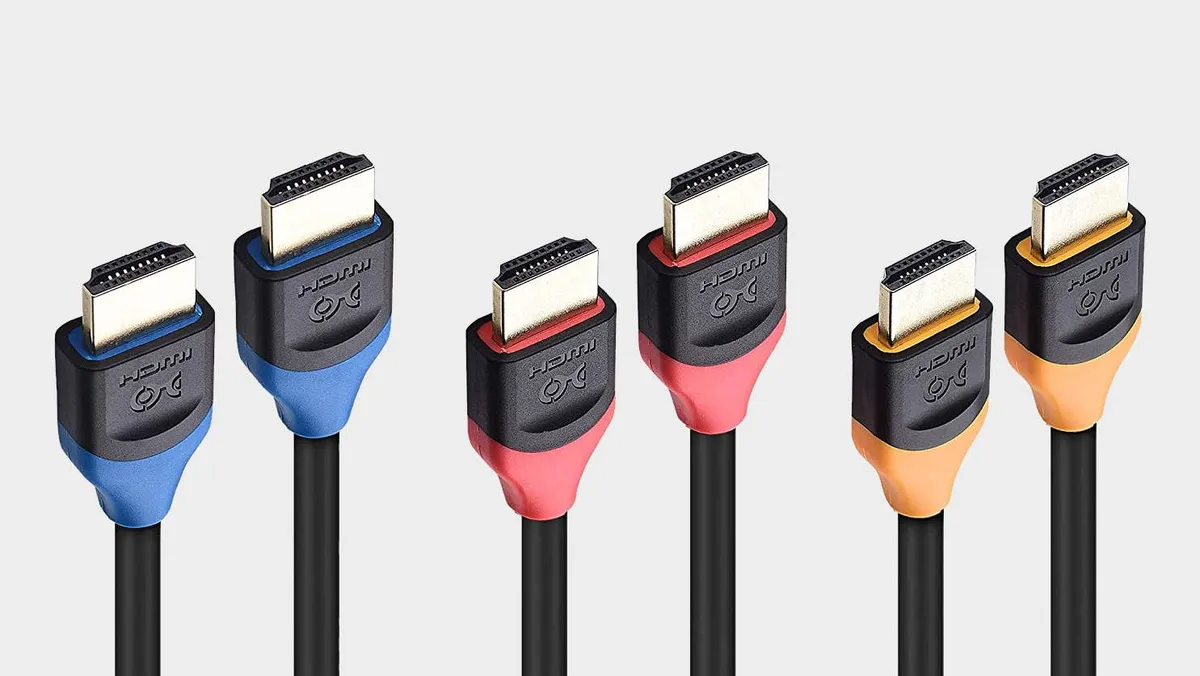
A rookie error, but this is the first and most common issue you'll want to check for (aside from having plugged in and turned on your monitor) when you first boot up to a blank screen. You may even get a picture if you have a CPU that includes an iGPU. That's where my friend went wrong, who had been streaming for months and wondering why his game was running so slow, only to realise he'd been bypassing his expensive GPU altogether, and running his game from his CPU instead.
Depending on the game, the CPU and the monitor you're using, this could mean serious issues for your poor CPU. We won't all be able to afford , now.
6. Plugging the RAM into the wrong slots
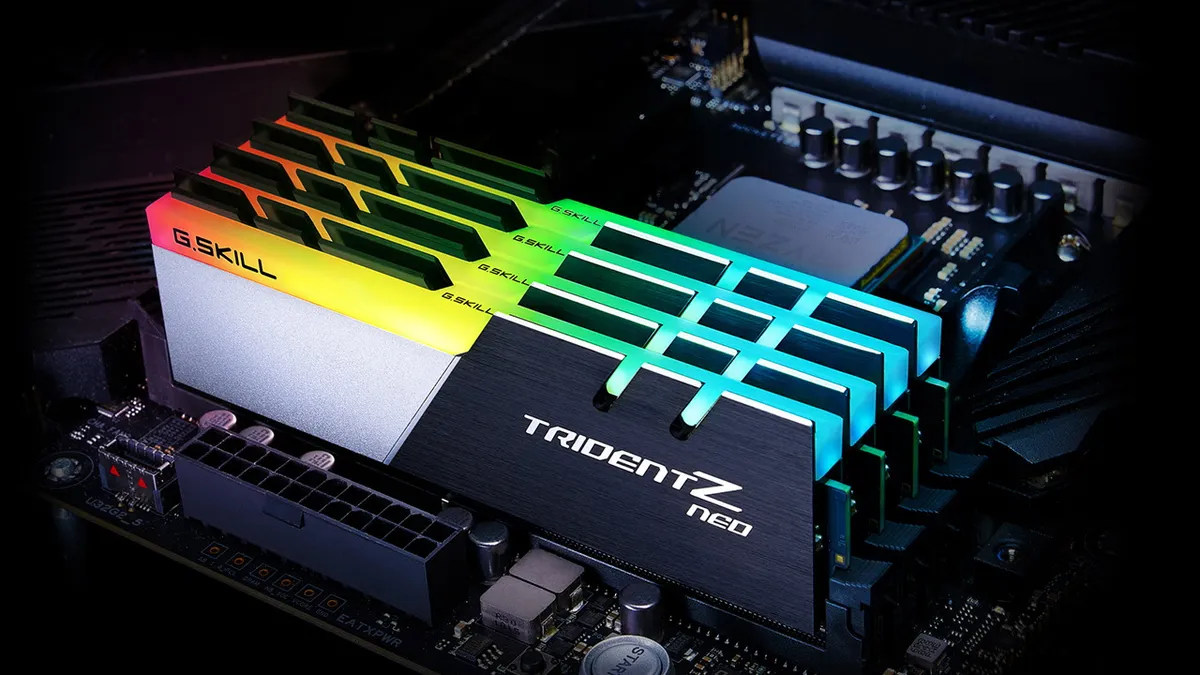
This is where that motherboard manual will u31 ทางเข้า come in handy, as some manufacturers will recommend you to use different slots than others. If you're foolishly just jamming one stick of RAM into your motherboard, check the manual to see which is the primary slot.
Generally though, you're going to want a pair of RAM sticks, since dual-channel RAM is more effective than single channel by a long shot; double the bandwidth equals more data shared with your CPU, faster. That's why memory tends to be sold in pairs.
A lot of the time, the fourth and second slots (DIMM_A2, and DIMM_B2) are what the manufacturer will recommend, in order to give you access to the wonders of dual-channel memory. But—and I cannot stress this enough—check your manual.
7. Not taking the sticker off the CPU cooler block

If your chip chiller comes with pre-applied thermal paste, this isn't something you need to worry about. But if not, those CPU coolers will likely come with a little bit of plastic to peel off before you install one on top of your processor. It's there to protect the contact point with your chip, and maintain as flat a surface as possible. But, in the heat of the moment, you could find yourself forgetting to do the little peel, and ending up with hot plastic sweating between your processor and the cooler.
Not the most effective thermal solution, there.
Just make sure before you go attaching your CPU cooler that you're not going to be boiling your processor alive with a liberal application of warm polyethylene.
8. All your fans are pointing in one direction

There is a great deal of contention on the web regarding airflow optimisation in gaming PCs. In general, it is considered an unforgivable sin to point all your fans outward, since this creates a vacuum inside your machine, and can actually open a wormhole into hell dragging your hardware screaming into the dark inferno. Nightmare.
Seriously, though, it's not great for airflow, and therefore not great for your components.
We recommended slightly positive air pressure, which means maybe one or two more intake fans than exhausts. Exhausts should be located on the back so you're not being blasted with hot air while gaming, too. You could also have the hot air venting out of the top of your chassis if there are fan mounts in its ceiling. This is mostly for the benefit of any cat you live with, however, and not necessarily about superior PC building skills. The alternative is to generate negative air pressure with fewer intakes than exhausts, but the consensus is that finding a balance is key.
9. Forgetting the motherboard backplate

Back when building gaming PC's wasn't an integral part of my job, I did run into this issue. In a frenzy of excitement after unboxing all my components, I dropped my motherboard into ทางเข้า winner55 ผ่านโทรศัพท์ มือ ถือ my PC case, secured it, snapped all the components in, screwed the GPU into place, dropped the CPU cooler in, perfected my cable management, and even jammed the side panel on, only to realise the motherboard backplate was still sitting neatly in its box.
My options were to essentially start again, or jimmy the thing in with some elbow grease. You can bet university-age Katie wasn't going to go with the former; no, no, that would take far too long and undo much of my efforts. I ended up bending the backplate pretty badly and it never did sit quite right, but at least I didn't have to remove the motherboard again…
It's worth noting that some modern, high-spec motherboards come with their backplates pre-installed, probably because so many people were complaining about not having read the manual before building their entire PC. But, I mean, who reads manuals anyway?
10. Not plugging in your AIO pump or fans into the motherboard

Once you're sure your fans are pointing in the appropriate directions, make sure you get those cooling solutions plugged into your motherboard's fan headers, otherwise they won't be chilling a thing.
It's often easy to wire in the fans on an all-in-one liquid CPU cooler but forget to plug in the actual pump that sits on top of your processor. The fans will spin up and everything will look fine until the temperature just keeps creeping higher and higher… You can generally just go for any fan header, but modern motherboards have increasingly been offering specific AIO pump headers.
Again, check your motherboard manual for the exact positioning, but essentially you're looking for little three- or four-pin connectors at the edge of your motherboard with CPU_FAN or SYS_FAN written beside them. Do make sure to use them, and you might want to check that your cables will run neatly to the header you need before screwing the fans in tight.
11. Peeling your case plastic off when your PC is turned on

So your machine's powered on. It's all lit up like a Christmas tree and you're thinking "Oh, man, I should do a peel vid for that case plastic." STOP. Turn it off before you make the same mistake many have done before: the plastic peel of doom.
from
Peeling the plastic off your case creates a great deal of static which then disperses into your machine, and can cause serious damage to your components. In general we're not concerned with grounding ourselves while building, but this is where the static sprites will really conspire to ruin your day.
JackpotHero393
The promotions and bonuses offered are very generous. I especially love the daily free spins and deposit bonuses. They make playing even more enjoyable and increase my chances of winning big. The platform keeps me engaged for hours every day. I love the overall aesthetic of the platform. The animations, visual effects, and sound design make the gaming experience more dynamic and immersive. It's one of the reasons I keep coming back. Customer support has been outstanding whenever I had any issues. They respond quickly and professionally, ensuring that any concerns with deposits, withdrawals, or gameplay are addressed immediately, which makes me trust the platform more.